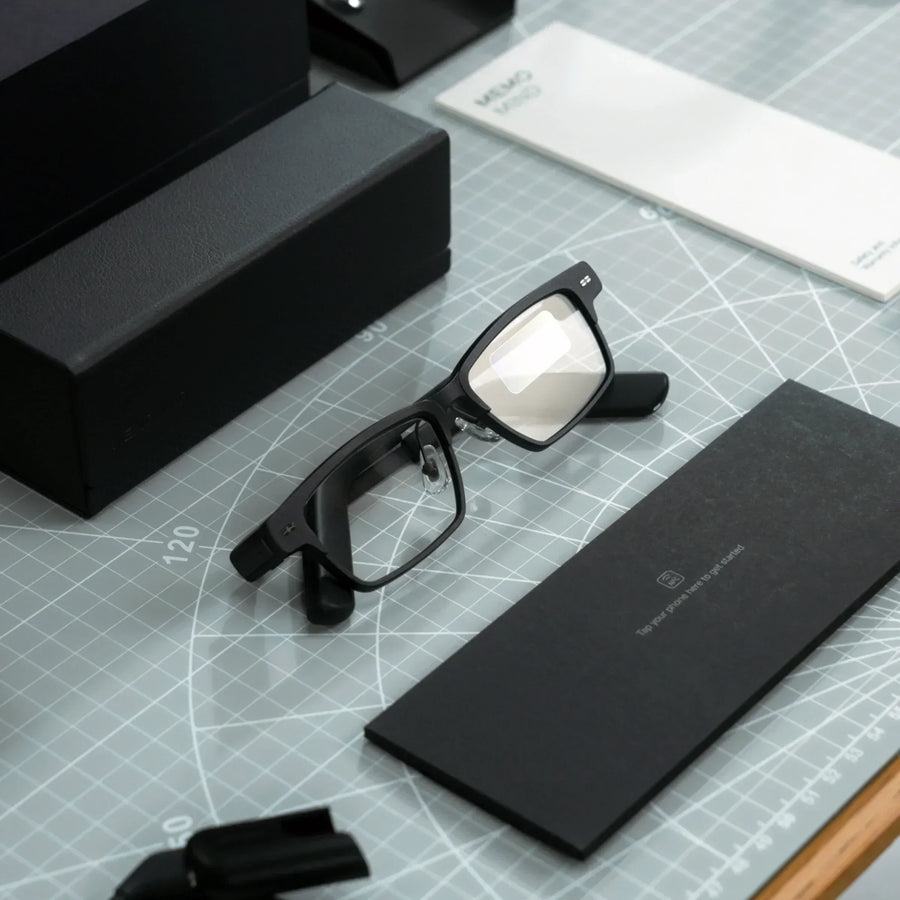
The MemoMind Open Platform Is Now Live: Build Your Own Apps for Smart Glasses
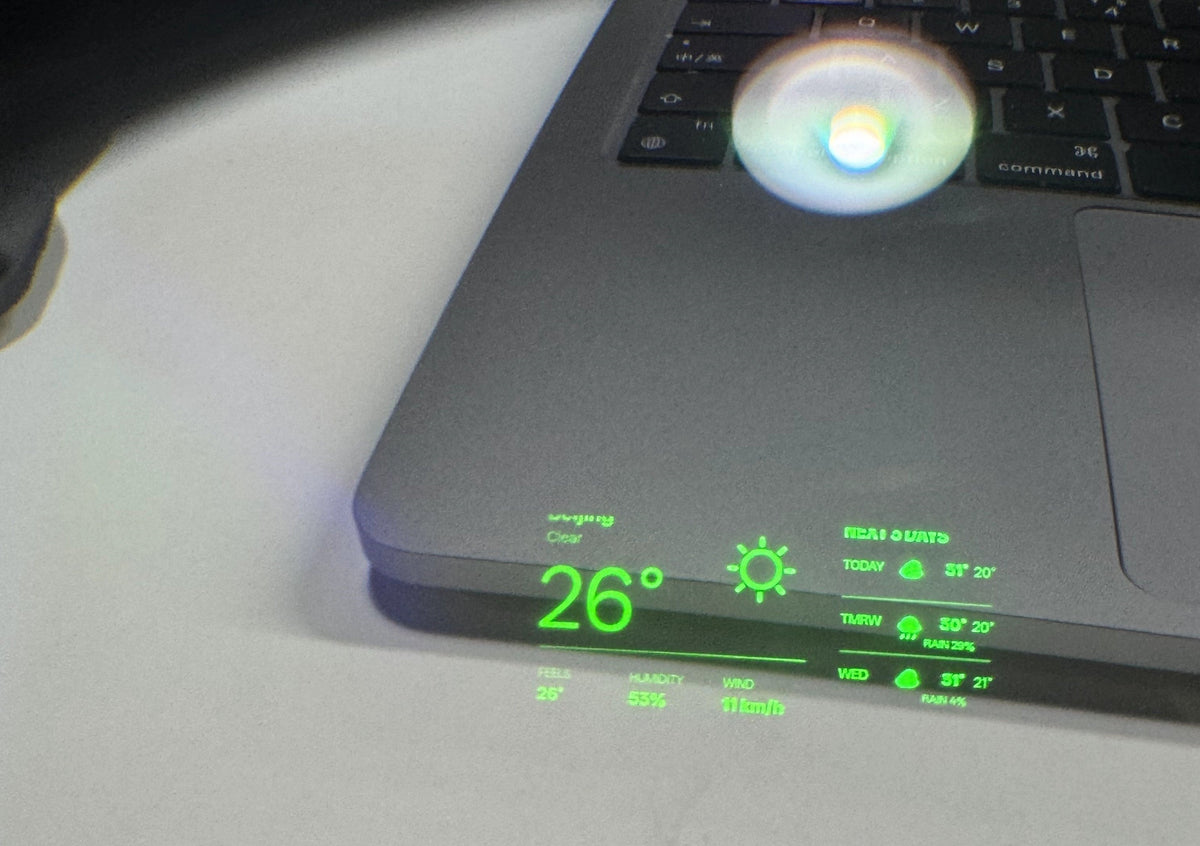
What if you could put anything on the display of your glasses — a game, a weather widget, a quick way to check your schedule — without waiting for us to build it?
Starting today, you can.
The MemoMind Open Platform is live now, including the development toolkit, desktop development tools, and peripheral input capabilities. You can write apps on your computer, test them in the simulator, and install them onto MemoMind One for real-device testing.
This is an early release, so expect rough edges. Try things, see what works, and tell us what you find. Physical-device testing opens in October.
What Is the MemoMind Open Platform
The MemoMind Open Platform is a toolkit for building your own apps and experiences for MemoMind One. With it, MemoMind One becomes programmable smart glasses.
It includes four parts:
-
GlassSDK: Build apps that run directly on the glasses — games, interfaces, and sensor interactions.
-
PhoneSDK: Build web pages that run inside the MemoMind app — settings pages, content pages, and network-connected services.
-
MemoMind Plugin Studio: Preview, test, and package your apps on your computer.
-
HOGP peripheral support (BLE protocol): Use compatible rings, remotes, and keyboards as input devices for the glasses.
An app can focus on the phone side, the glasses side, or both working together. For example, the phone handles networking and settings, while the glasses display results and respond to instant interactions.
Build Your App in Four Steps
Step 1: Pick Where Your App Lives
MemoMind One works as a pair: the glasses and your phone. Choose the approach that fits your app:
| Approach | Best for |
|---|---|
| Runs mainly on the glasses | Games, quick actions, sensor interactions, native glasses UI |
| Runs mainly on the phone | Accounts, networking, long content, files, complex settings |
| Phone and glasses together | Phone handles control or data fetching, glasses display and instant interaction |
You don't need to start with a complex paired app. Pick the entry point that fits your idea and start small. You can also see how our first demo Fighter Arena works.
Step 2: Build It on Your Computer
Download the build tools you need to get started from GitHub.
The glasses side uses C; the phone side uses familiar HTML, CSS, and JavaScript. The toolkit comes with working examples.
You don't need to set up a full-build environment just to try things — open Studio and run an example. When you're ready to start modifying code, install the build tools by following the official setup guide, which covers what you'll need, including Python and Node.js.
Step 3: Test It in MemoMind Plugin Studio
MemoMind Plugin Studio includes a built-in simulator that lets you test your apps on your computer. You can see both sides at once — test buttons, UI, and paired communication — and quickly refresh after making changes.
The simulator is great for fast iteration, but the final experience should always be verified on real glasses: readability while wearing, gestures, audio, Bluetooth connection, and performance.
Step 4: Install It on MemoMind Glasses
Once physical-device testing opens, you can move your app from the simulator to MemoMind One and test it on real hardware.
In the MemoMind app, go to Settings → Memo Lab → Developer Workspace, and scan the QR code generated by Studio. The package downloads from your computer to your phone over your local network, and the glasses part is then sent to your glasses over Bluetooth. Once an app is installed, you can launch it again straight from the app, with no computer needed.
Connect Your Own Input Devices
The SDK is one part of the Open Platform. The BLE Input Protocol is the other.
It lets compatible third-party input devices communicate with MemoMind One through HOGP (HID over GATT Profile), a Bluetooth Low Energy standard for HID devices. That means you can experiment with new ways to control their apps using devices such as rings, remotes, and keyboards.
KiWear will be our flagship developer ecosystem partner, with a smart ring that can work with MemoMind One through this protocol.

What the Open Platform Gives You
Now that you know how to build, here's what you can build with.
Display Content on the Glasses
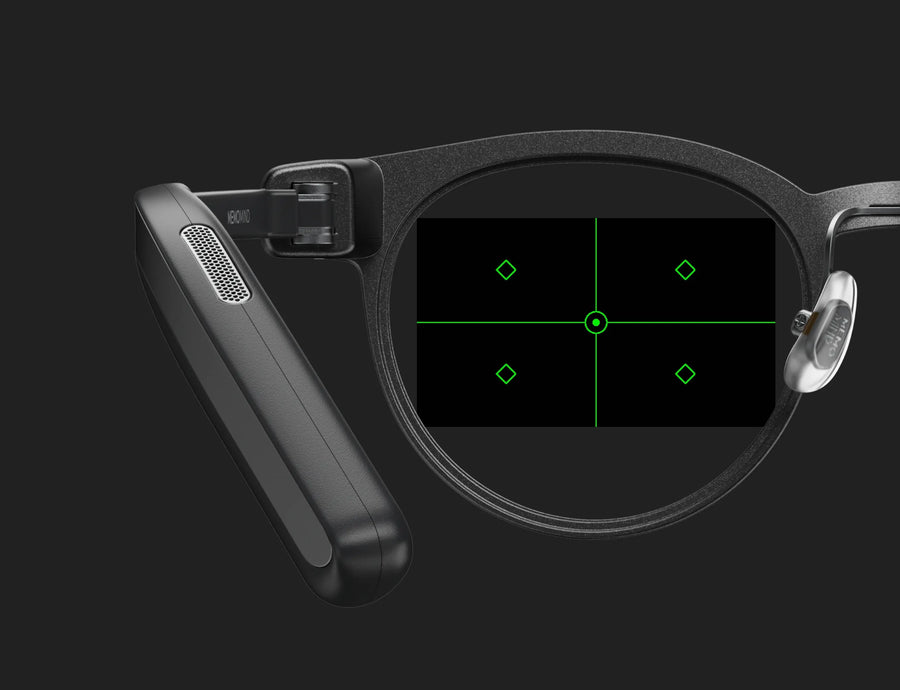
Developers can show text, images, animations, games, and custom interfaces on the glasses. The current reference canvas is 600 × 350 pixels, with 16 levels of green brightness. Apps can also adjust screen brightness, display height, and display distance.
Receive Multiple Inputs
Apps can respond to the temple button, directional and page-navigation controls, and head gestures like nodding and shaking. They can also read raw motion sensor data. With HOGP support, you can also receive input from rings and remotes.
Access Device State
Apps can read battery level, charging state, wear detection, and current language — useful for adjusting the UI, reminding the user, or handling different device states.
Capture and Play Audio
Phone-side web apps can use the PhoneSDK to capture supported glasses audio for short recordings or continuous audio processing, and play audio back. Speech recognition, translation, or AI processing can be handled by your own network service.
Connect to the Internet and Your Own Services
Phone-side web apps can fetch weather, schedule data, account information, or your own cloud services, then send the results to the glasses for display. Network logic runs on the phone side — glasses plugins don't access the internet directly.
Use Files, Storage, and Location
The PhoneSDK supports saving app settings, accessing user-selected files, and using phone location in the foreground. These capabilities are great for readers, navigation assistants, content tools, and personalized experiences.
Let the Phone and Glasses Communicate
Phone pages can send commands to the glasses, and the glasses can send back results and state. Build controllers, paired games, reading tools, and real-time experiences that combine cloud services with on-glasses display.
Start from Examples
The toolkit already includes examples for games, UI, animations, images, buttons, IMU, Bluetooth messaging, display control, files, storage, and audio. The easiest way to start is to run a complete example, copy it, and modify one visible feature.
Important Boundaries to Know
-
Third-party plugins can't access the glasses camera.
-
Glasses plugins can't connect to the internet directly — networking and cloud capabilities should live on the phone side.
-
Only one foreground glasses plugin runs at a time.
-
Different app, firmware, and SDK versions may support different capabilities — use matching versions when developing.
-
The simulator helps with development, but display, gestures, audio, Bluetooth, and performance should always be verified on real hardware.
Start Here
You can start without physical hardware:
-
Download the complete toolkit from GitHub.
-
Open MemoMind Plugin Studio and run an example in the simulator.
-
Read the developer documentation for the development workflow.
-
Join the MemoMind Discord community for developer updates and information about physical-device testing.
You don't need to start with a big project. A small tool, a new way to input, or a fun glasses UI could be the next new experience on smart glasses.
Related Blogs
More MemoMind stories from the same category.