


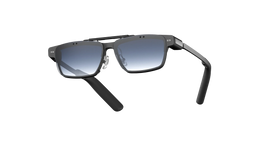

How A HUD Display in Glasses Works
The concept draws on head-up display (HUD) technology used in aircraft cockpits and cars. In aircraft, HUDs project essential flight information onto a transparent combiner in the pilot’s forward field of view. In cars, HUDs can project driving information onto the windshield, allowing drivers to check key details while keeping their eyes on the road. Glasses do the same job in four steps.
|
Step
|
What happens
|
Why it matters
|
|---|---|---|
|
Light engine
|
A microdisplay creates the image using technologies such as Micro-LED, Micro-OLED, or LCoS.
|
Affects brightness, image quality, and power consumption.
|
|
Optical system
|
Optics such as a waveguide or a birdbath design carry the image to your eye.
|
Influences the optical design, frame structure, and display characteristics.
|
|
Display configuration
|
The display can be monocular (one eye) or binocular (both eyes).
|
Determines where the information appears in your view.
|
|
Content processing
|
The glasses, a connected phone, or the cloud determines what information appears on the display.
|
Determines what the display shows and how it responds to user input.
|
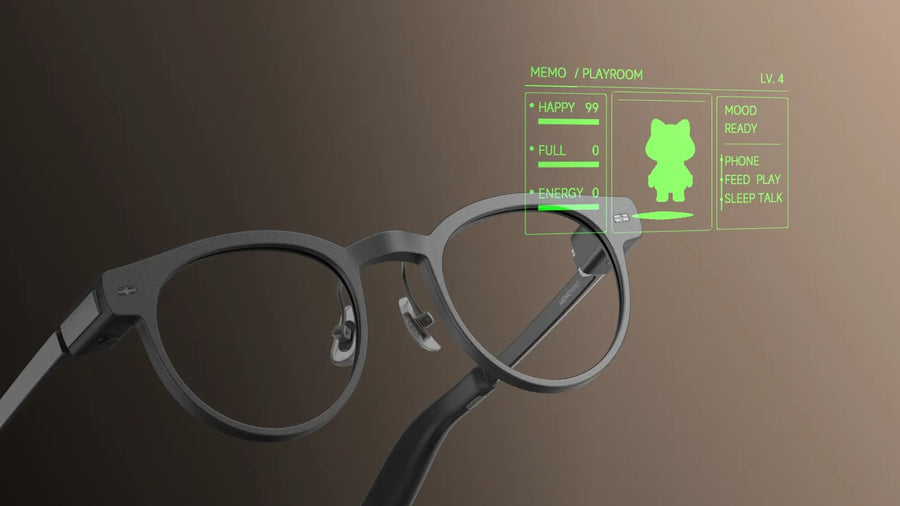
MemoMind One pairs a 2D diffractive waveguide with a binocular green Micro-LED display, a 25° field of view, and up to 2,000 nits of perceived in-eye brightness. The display specs breakdown explains each figure.
How Does the Image Reach Your Eye
The light engine first creates a small image. The optical system then guides that light toward your eye so the image appears to float in your field of view while the lens remains transparent enough for you to see your surroundings.
In a waveguide design, light travels through a thin optical lens and is directed toward the eye through carefully designed optical structures.
Monocular vs. Binocular HUD
A monocular display sends the image to one eye. This can make the display module simpler, but the information appears off-center relative to your full field of view.
A binocular display presents the image to both eyes, creating a more centered viewing experience.
What Can You Do with a HUD Display
Common applications include:
-
Live captions: Read spoken conversations or follow calls with live captions without looking down at a phone.
-
Translation: Check translated lines while someone is speaking, helping you follow conversations across languages.
-
Teleprompter: Read a scrolling script during a presentation, speech, or video recording while keeping your gaze forward.
-
Navigation: Follow turn directions, arrows, and distance cues while walking or cycling.
-
Notifications and AI answers: Glance at short messages, reminders, or answers without opening a separate screen.
HUD Display: Advantages and Limitations
Where HUD Displays Work Well
You can keep your attention forward. Instead of repeatedly looking down at a phone, you can check short prompts or directions within your line of sight. This can be useful during conversations, presentations, and activities where your hands are occupied.
The display can remain relatively discreet. Waveguide optics use a thin transparent lens to deliver the image. For example, MemoMind One lists 98% transparency in the non-display area of its waveguide, allowing most of the lens to remain clear.
The format suits quick information checks. Captions, short translations, icons, and reminders do not require a large screen. A compact display can present these details without filling your view with unnecessary visual content.
Where HUD Displays Fall Short
Limited viewing area. A HUD is not designed to show a full document or a large video image. A narrower field of view generally means less room for information, although the number of readable lines also depends on resolution, font size, and display layout.
Limited color and visual detail on monochrome models. Green monochrome displays can show text and simple icons clearly, but they cannot reproduce the full range of colors found in photos, videos, or detailed maps. Full-color displays offer richer visuals, though they typically involve trade-offs in cost, size, or power consumption.
Fit affects what you can see. The full image is visible only when your eye is within the eyebox, the area where the display can be seen in full. If the glasses sit too high, too low, or too far from your face, parts of the image may become difficult to see.
Can Others See Your HUD
Waveguide displays are relatively discreet, but not invisible. Many let a small amount of light escape through the front of the lens, often called eye glow. How visible it is depends on the optics, brightness, and viewing angle.
To check any pair of glasses, display a line of white text and ask a friend to look at your lenses from 0.5 m, 1 m, and 2 m. Try it from the front and the side, at low and high brightness, indoors and outdoors.
To compare specific pairs, see the best smart glasses with display.