コンテンツへスキップ

カート

カートが空です

ショッピングを開始する

Welcome to MemoMind Customer Service Support.

Let's get this conversation started. Please fill in the following information and we'll get in touch with you within 24 hours.

Find and Play the Hidden Mini Games on MemoMind One Display Glasses

Explore Hidden Mini Games on MemoMind One Display Glasses
Imagine you're wearing MemoMind One, waiting for a meeting to start. You turn your head to glance at the door — and something unexpected pops up on the display. If this hasn't happened to you yet, here's the secret: your glasses have three hidden games built right in.
Tetris. Brick Breaker. Jet Runner. You might be wondering why a device built for translation, calls, and memory has games at all. Fair question — let's start there.

Why Are There Games in AI Glasses?

Because not every moment is productive; sometimes you're waiting for a meeting that's running late, sitting on a train with nothing to read, or just need a 60-second mental reset. A quick game on your glasses is more discreet than pulling out your phone. Nobody sitting across from you knows you're in the middle of a Tetris round.
The games also serve a practical purpose: they're a testbed for head-gesture controls. Every time someone plays, we learn more about how people naturally move their heads — and that makes every head-controlled feature better, from Quick Launch to navigation.
If you're curious about what else lives on the display, check out our full guide to the MemoMind One Dashboard.

What Hidden Games Are on MemoMind One?

There are three mini games currently available, all living in Memo Lab — our experimental features space where new ideas get tested before they become permanent.
  • Tetris — the classic block-stacker
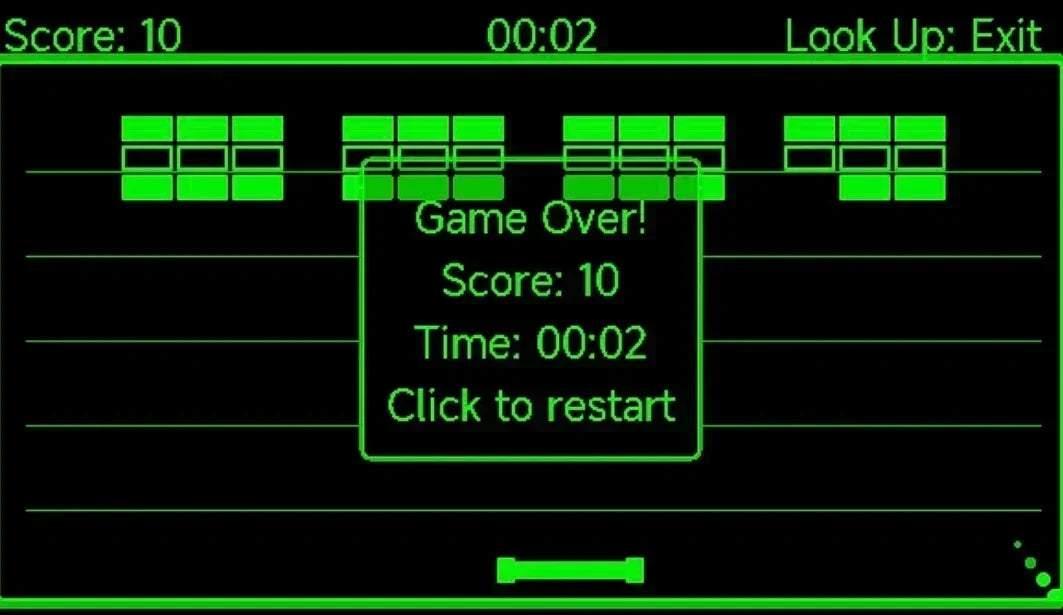
  • Brick Breaker — bounce a ball to break bricks
  • Jet Runner — an endless runner where you dodge obstacles
All three are controlled with head movement and the temple button. We're not going to walk you through every button — put your own MemoMind One on, play a round, and figure it out. Half the fun is the discovery. Join our community to share your high scores and your wishlist for what comes next.

How to Unlock Hidden Games

You have two ways in.

Option 1: Through Memo Lab

  1. Open the MemoMind app and tap Settings.
  2. Select Memo Lab.
  3. Tap Mini Game, then pick Tetris, Brick Breaker, or Jet Runner.
  4. The game loads onto your glasses.

Option 2: Bind a Head Gesture

This is the better way — once set up, you can launch a game anywhere without touching your phone.
  1. Go to Settings → Quick Launch.
  2. Choose a gesture slot: Turn left, Centre, or Turn right.
  3. Scroll to the bottom of the feature list, past System Settings, until you see the mini-game group.
  4. Select the game you want to bind.
  5. Put on the glasses and turn your head — the game loads instantly.
Now every time you turn your head that way, your game opens.
memomind_minigames

Tune the Sensitivity of MemoMind One Gesture First

Before you play, tune the sensitivity so the controls feel natural:
Step 1: Open Quick Launch settings. While setting up your gesture binding, find the Head Movement Sensitivity slider.
Step 2: Start in the middle. We recommend starting at the midpoint — it's responsive enough for quick moves but not so sensitive that a glance changes direction.
Step 3: Adjust to taste. Play a round, then come back and tweak. If you're overshooting moves, lower the sensitivity. If the game feels sluggish, raise it. There's no right answer — it depends on how you move your head.
The three built-in games are just the start. Memo Lab is also where we're building a plugin platform — if you're a developer or just like tinkering, you can explore building your own games and lightweight experiences for MemoMind One.

Related Blogs

More MemoMind stories from the same category.

In the Moment Sep 07, 2026

How to Make Hands-Free Calls with Live Captions on MemoMind One

In the Moment Aug 26, 2026

MemoMind One Dashboard: What's on the AI Glasses Display?

In the Moment Jul 09, 2026

Memo+ for MemoMind One: AI Memory Glasses That Help You Remember