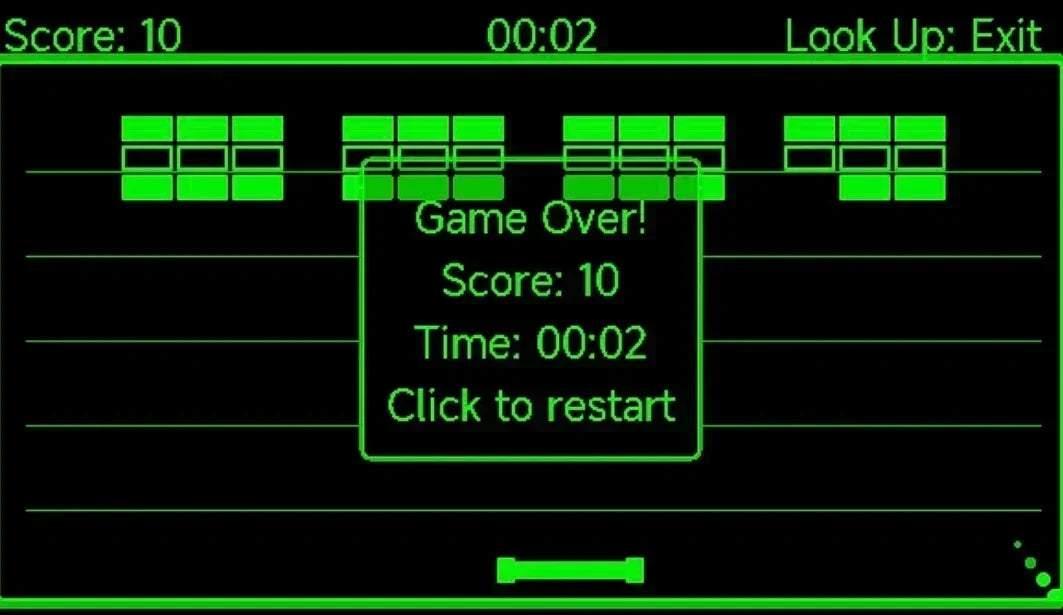
Imaginez que vous portez les MemoMind One et que vous attendez le début d’une réunion. Vous tournez la tête pour regarder la porte — et quelque chose d’inattendu apparaît sur l’écran. Si cela ne vous est pas encore arrivé, voici le secret : vos lunettes intègrent trois jeux cachés.
Tetris. Brick Breaker. Jet Runner. Vous vous demandez peut-être pourquoi un appareil conçu pour la traduction, les appels et la mémoire propose des jeux. C’est une question légitime — commençons par là.
Pourquoi y a-t-il des jeux dans les lunettes IA ?
Parce que tous les moments ne sont pas productifs ; parfois, vous attendez une réunion qui a du retard, vous êtes assis dans un train sans rien à lire, ou vous avez simplement besoin de 60 secondes pour vous vider l’esprit. Jouer rapidement à un jeu sur vos lunettes est plus discret que de sortir votre téléphone. Personne assis en face de vous ne sait que vous êtes en pleine partie de Tetris.
Les jeux ont également un but pratique : ils servent de banc d’essai pour les commandes par gestes de la tête. Chaque fois que quelqu’un y joue, nous en apprenons davantage sur la façon dont les gens bougent naturellement la tête — et cela permet d’améliorer toutes les fonctionnalités contrôlées par la tête, du lancement rapide à la navigation.
Si vous souhaitez découvrir ce qui se cache d’autre sur l’écran, consultez notre guide complet du tableau de bord de MemoMind One.
Quels jeux cachés sont disponibles sur MemoMind One ?
Trois mini-jeux sont actuellement disponibles, tous accessibles via Memo Lab — notre espace de fonctionnalités expérimentales où de nouvelles idées sont testées avant de devenir permanentes.
-
Tetris — le jeu classique d’empilage de blocs
-
Brick Breaker — faites rebondir une balle pour casser des briques
-
Jet Runner — un jeu de course infinie où vous devez éviter des obstacles
Les trois jeux se contrôlent avec les mouvements de la tête et le bouton de la branche. Nous ne allons pas vous expliquer chaque bouton — mettez vos propres lunettes MemoMind One, jouez une partie et découvrez-les par vous-même. La découverte fait partie du plaisir. Rejoignez notre communauté pour partager vos meilleurs scores et votre liste de souhaits pour la suite.
Comment débloquer les jeux cachés
Vous avez deux options.
Option 1 : via Memo Lab
-
Ouvrez l’application MemoMind et appuyez sur Paramètres.
-
Sélectionnez Memo Lab.
-
Appuyez sur Mini-jeu, puis choisissez Tetris, Brick Breaker ou Jet Runner.
-
Le jeu se charge sur vos lunettes.
Option 2 : associer un geste de la tête
C’est la meilleure option — une fois la configuration terminée, vous pouvez lancer un jeu n’importe où sans toucher à votre téléphone.
-
Allez dans Paramètres → Lancement rapide.
-
Choisissez un emplacement de geste : Tourner à gauche, Centre ou Tourner à droite.
-
Faites défiler la liste des fonctionnalités jusqu’en bas, au-delà des Paramètres système, jusqu’à voir le groupe de mini-jeux.
-
Sélectionnez le jeu que vous souhaitez associer.
-
Mettez les lunettes et tournez la tête — le jeu se charge instantanément.
Désormais, chaque fois que vous tournerez la tête dans cette direction, votre jeu s’ouvrira.


Réglez d’abord la sensibilité des gestes de MemoMind One
Avant de jouer, réglez la sensibilité pour que les commandes soient naturelles :
Étape 1 : Ouvrez les paramètres de Lancement rapide. Pendant la configuration de l’association de votre geste, trouvez le curseur Sensibilité des mouvements de la tête.
Étape 2 : Commencez par le milieu. Nous recommandons de commencer par le milieu — c’est suffisamment réactif pour les mouvements rapides, mais pas si sensible qu’un simple regard change de direction.
Étape 3 : Ajustez selon vos préférences. Jouez une partie, puis revenez et affinez. Si vous dépassez la direction souhaitée, baissez la sensibilité. Si le jeu semble lent, augmentez-la. Il n’y a pas de bonne réponse — cela dépend de la façon dont vous bougez la tête.
Les trois jeux intégrés ne sont qu’un début. Memo Lab est également l’endroit où nous développons une plateforme d’extensions — si vous êtes développeur ou si vous aimez simplement bricoler, vous pouvez explorer la création de vos propres jeux et expériences légères pour MemoMind One.