Translation Glasses vs Earbuds vs Phone Apps: What Works For You

When you need to communicate in another language, the right smart translation tool is important. Reading subtitles while talking to someone is different from listening to a translated lecture or figuring out what's written on a restaurant menu. Compared with human translation, there are now more modern tools to choose from.
Translation glasses display translated speech in your field of view. Translation earbuds deliver audio, while phone apps can handle spoken conversations and, with camera translation, written text.
Each has a place. Here's how to decide which one makes sense for you.
Translation Glasses vs. Earbuds vs. Phone Apps
| Feature | Translation glasses | Translation earbuds | Phone apps |
|---|---|---|---|
| Translation output | On-screen text; audio on supported models | Audio in your ear | Text or audio |
| Best suited to | Face-to-face conversations and silent captions | Listening and audio-based translation | Spoken and written text |
| Hands and eyes | Hands-free; glance at the display | Hands-free; listen without reading | Often requires looking at or holding the phone |
| Phone requirements | Varies by model; some require a paired phone | Varies by product and mode | Requires a phone |
| Signs and menus | Only on models with suitable camera features | Generally not supported directly | Supported through camera translation |
| Main trade-off | Limited display space and reading conditions | Audio can be difficult to follow alongside the original speech | Screen use can interrupt eye contact |
When Do Different Translation Tools Make Sense
Conversations Where Eye Contact Matters
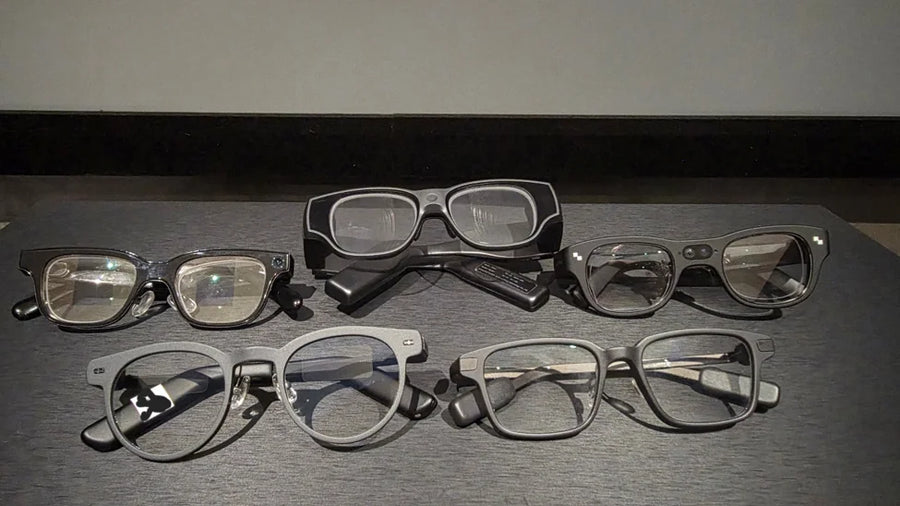
As smart translation glasses such as MemoMind One and Even G2 enter the market, if you're talking with a colleague, meeting your partner's family, or asking questions while travelling, these glasses let you glance at translated text without holding a phone between you and the other person. They're most useful when you want to keep the conversation moving with eye contact.
Lectures and Long Listening Sessions
For presentations, classes, or conferences, glasses that translate languages can provide more silent captions in front of your eyes. Some smart eyewear with more advanced AI features can also generate transcripts and summaries after a translation session, making it easier to review key information later. Translation earbuds are a reasonable alternative if you'd rather listen than read, provided their translation mode and battery life suit the session. Phone apps offer a larger screen, making it easier to scroll back through translated text, review earlier points, and refer to the translation while taking notes.
All three can be affected by translation delays and speech-recognition errors.
Signs, Menus, and Written Information
If you need to understand a train sign, restaurant menu, or printed notice, a phone app with camera translation is the more direct solution. Camera-free glasses cannot capture and translate text from the surrounding environment, and ordinary translation earbuds cannot do this either.
But sometimes, you don't necessarily need one device for everything. Glasses can handle spoken conversations while your phone remains available for occasional written translation.
If Translation Glasses Fit You, How to Choose
Choosing the right AI translation glasses requires some preparation—most importantly, verifying whether they can provide sufficiently reliable translation for the conversational scenarios you anticipate.
Three measures help explain what to look for:
-
Source recognition (ASR): Whether the system correctly recognizes the original speech.
-
Semantic accuracy: Whether the translation preserves the speaker's intended meaning.
-
Severe mistranslation rate: How often consequential errors occur, such as an incorrect number, a missing negation, or a reversed subject-object relationship.
What A Test of Seven Display Glasses Found
MemoMind's October 2026 internal test assessed seven display glasses across these three measures.
| Product | Source recognition | Semantic accuracy | Severe mistranslation |
|---|---|---|---|
| MemoMind One | 96.32% | 86.73% | 0.87% |
| RayNeo iO | 93.48% | 84.19% | 2.11% |
| Even | 95.92% | 83.96% | 0.90% |
| iFlytek | 81.30% | 55.80% | 6.30% |
| Rokid | 66.70% | 33.50% | 11.60% |
| INMO | 65.60% | 30.70% | 8.50% |
| Quark | 50.30% | 23.30% | 11.60% |
The results offer a comparison of the seven tested products, but they do not establish how all translation glasses perform. The figures should not be treated as a definitive ranking of the market. A fair comparison also requires clear information about language pairs, test material, sample size, and scoring methods.
The broader lesson is that recognition and translation quality measure different things. For example, Even recorded 95.92% source recognition and 83.96% semantic accuracy.
Consider a simple example: someone says, "I can meet you after 3, but not before." A system might recognize the original words correctly but translate the sentence as “I can meet you before 3,” dropping the word “not.” Most of the sentence may appear intact, yet the meaning changes enough to cause a scheduling mistake.
What to Check Before Buying Translation Glasses
1. Does it support your language pair?
Check the specific source and target languages. Availability can vary by different translation glasses.
2. How quickly does the translation appear?
Delayed captions can make a conversation difficult to follow, even when the translated text is accurate. Look for evidence of real use.
3. Can you use it without constantly handling your phone?
Some glasses let you start or control translation with a physical button or voice command while still relying on a paired phone for connectivity or processing. Confirm which functions work independently and which require the phone or an internet connection.
4. Will the display work in your environment?
Consider text size, the amount of text visible at once, and readability in bright outdoor conditions. A display designed for short captions should not be expected to work like a phone screen.
5. How long does translation actually last?
Check continuous translation runtime rather than relying solely on mixed-use battery claims.
Related Blogs
More MemoMind stories from the same category.