
What Kind of Display Do Smart Glasses Use
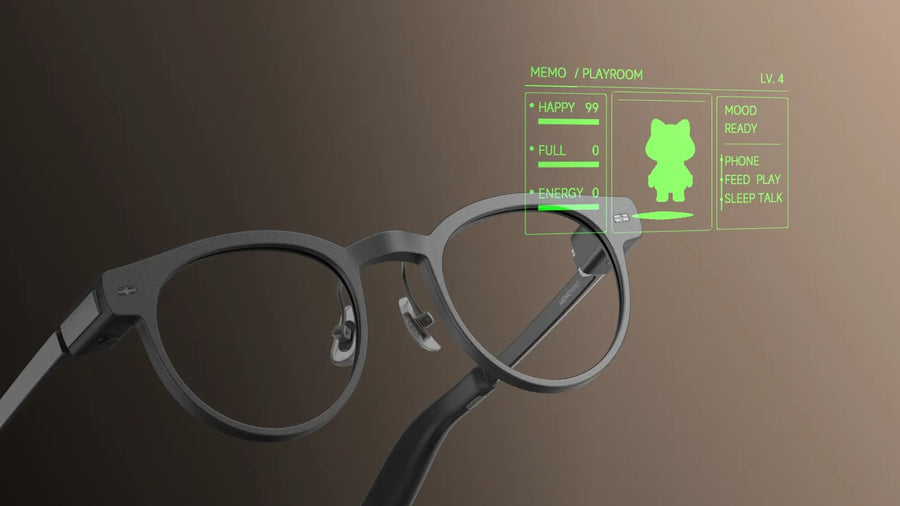
Most smart glasses run on HUD technology, not the kind of screen a phone or laptop uses. A HUD, or heads-up display, is a transparent display that projects information directly into a user's line of sight. It was originally developed for military aircraft, later adopted in commercial aviation and cars.
For smart glasses, that translates into a specific job: not replacing your phone, but reducing the moments you'd otherwise need to pull it out. That reframes the right question from "how many pixels does it have" to "can I read what I need, exactly when I need it" — something that depends on far more than display resolution alone.
MemoMind One Display Breakdown
A Quick Overview
| Specification | MemoMind One | What It Means in Daily Use |
|---|---|---|
| Display Technology | Binocular single-green Micro‑LED | Delivers vivid bright visuals with a miniature, power‑saving optical engine |
| Optical System | 2D Diffractive Waveguide | Projects digital overlays while keeping lenses transparent to your surroundings |
| Display Resolution | 640 × 480 | Sufficient pixel density for crisp text, icons and simple graphics at a quick glance |
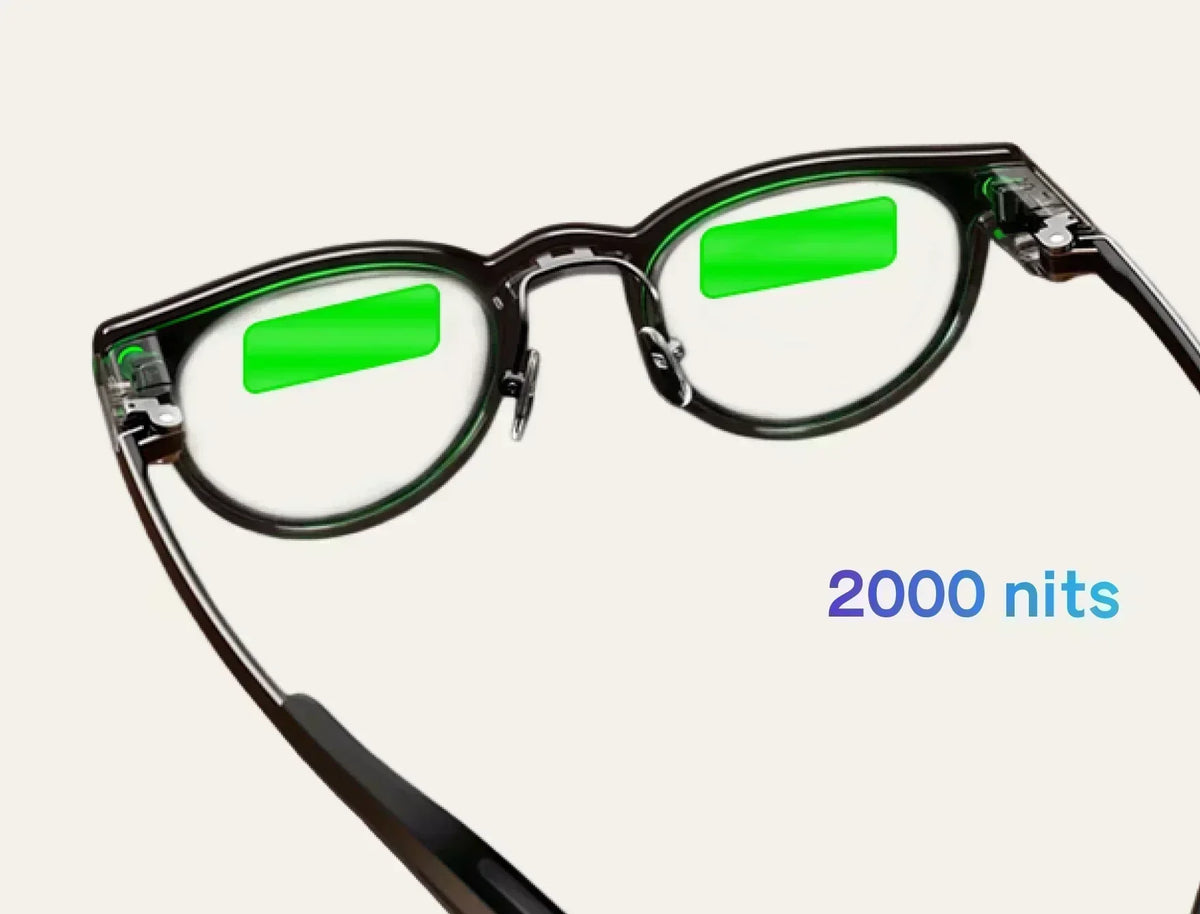
| Brightness | Up to 2000 nits perceived in-eye brightness | Remains visible indoors and under regular outdoor sunlight |
| Field of View | 25° diagonal FOV | Shows essential info without overwhelming or blocking most of your natural sightline |
| Virtual Viewing Distance | Adjustable 1–5 meters | Minimizes constant eye refocus strain during all‑day extended wear |
| Display Adjustment Options | Brightness, vertical height, virtual depth | Customize screen position and brightness to match your eye comfort preferences |
| Refresh Rate | 30 Hz | Ensures smooth text scrolling and fluid navigation UI transitions for daily text use |
| Privacy Performance | Ultra-low outward light leakage | Prevents people beside you from easily reading your on‑screen private content |
Is 2000 Nits Bright Enough For Outdoors
Display brightness plays an important role in outdoor visibility. Ambient light, lens transmission, and the optical system all affect how clearly digital content can be seen. One that isn't bright enough quietly becomes unreadable exactly when you need it most — like checking a direction mid-walk.
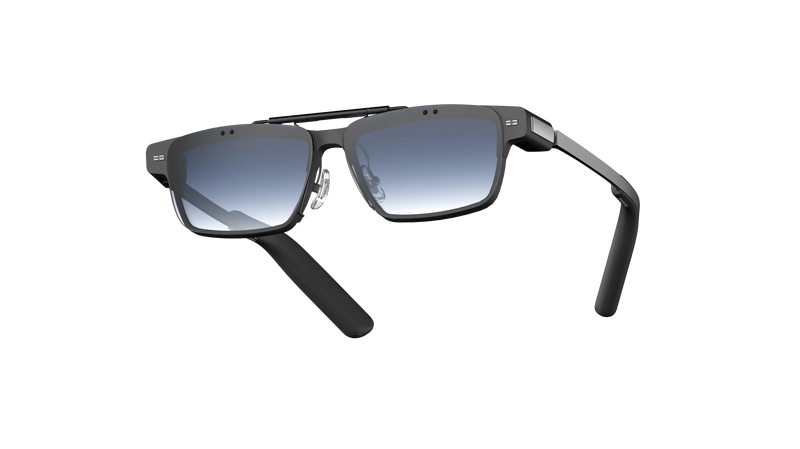
The MemoMind One offers up to 2,000 nits of perceived in-eye brightness, with dynamic brightness adjustment for different lighting conditions. For particularly bright outdoor environments, users can also add the dedicated clip-on sunglass accessory.
What Does 25° Field of View Actually Look Like
Field of view is the angular size of the area where a display can show content — in practical terms, how much of your vision the digital layer occupies.
A wider FOV can fit more information on screen at once, but it also means more of your natural vision is covered by digital content, which raises the risk of the display feeling intrusive or blocking things you'd otherwise want to see clearly.
MemoMind One uses a 25° FOV, roughly equivalent to holding a smartphone 10 centimetres in front of your eyes. It helps text and icons look sharper than the raw 600 × 350 figure suggests. It also keeps the display sized for what it's actually meant to show within easy glance range, without interfering with walking or talking to someone in front of you.
How Does The Micro-LED And Waveguide Display Work
The MemoMind One utilizes a Micro-LED engine as its image source. Each pixel emits its own light, eliminating the need for the separate backlighting found in LCD panels. This allows the engine to be compact and energy-efficient enough to be housed within the temple of the glasses.
Images are then transmitted onto the transparent lens via the MemoMind One's 2D diffractive waveguide. The waveguide optics are specifically optimized for particular pixels and colors, resulting in minimal light leakage and ensuring that the display remains essentially private to the wearer.
One thing to note: images on the MemoMind One appear primarily in green. This choice leverages the peak sensitivity of the human eye around 555 nanometers — the same reason green has been the default color for aviation HUDs since the era of early fluorescent displays, as it ensures clear visibility at lower power levels.
Does The Display Cause Eye Strain During All-day Wear
Two design choices address this directly.
First, the virtual viewing distance can be adjusted from 1 to 5 meters, giving users more flexibility in how the digital content appears in their field of view.
Second, display position is customizable — you can adjust vertical height and virtual depth to match your personal comfort.
These adjustments provide more control over display positioning, but individual comfort can vary depending on eyesight, fit, and usage habits.