Skip to content

Cart

Your cart is empty

Continue shopping
Confident public speaking with an invisible AI script.
May 25, 20266 min read

MemoMind AI Glasses Story: 4 Moments of Invisible Intelligence

Memo AI:
Ask out loud.

Hands-free intelligence · always within glance

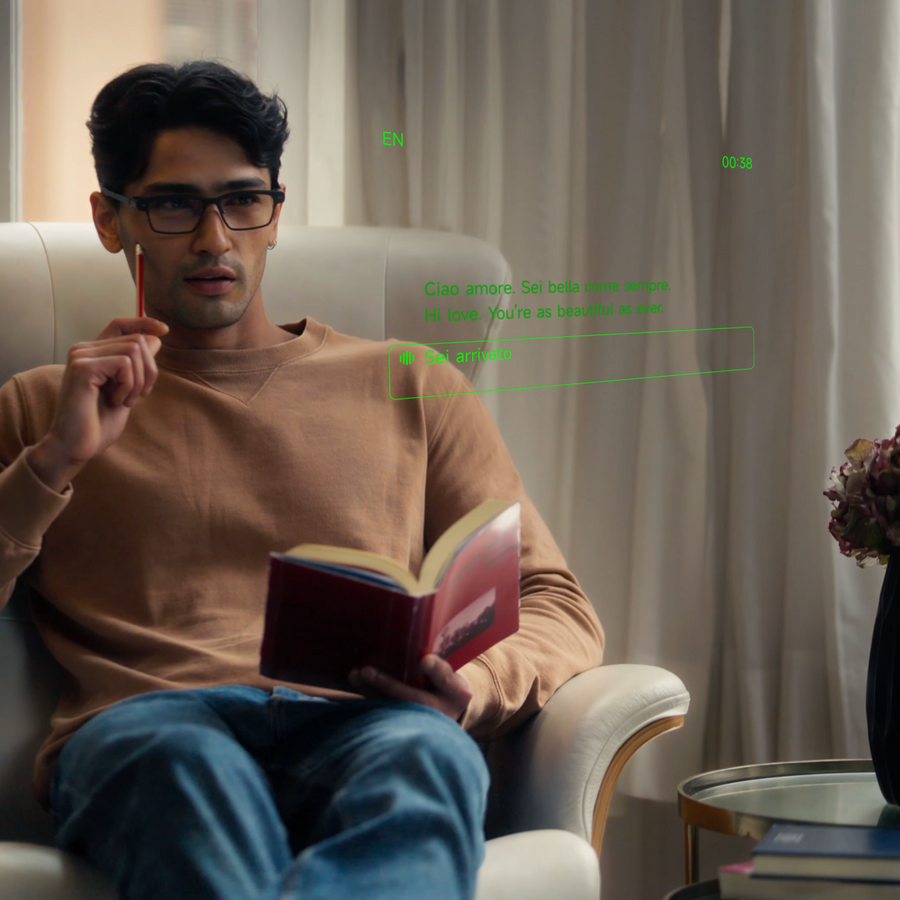
Adjusting MemoMind smart eyewear for a glanceable AI display.

You're knife-deep in a Saturday rush. Two pans are going, one plate up, your hands full of everything at once. The new cook calls across the line — what temp does the lamb come out at? You don't put anything down. You don't break stride. You say, "Hi Memo. What's the pull temp on lamb?" The answer appears in your line of sight — reads it before the next ticket lands, gone when you look away.

Why it matters

Most "AI assistants" are trapped behind a screen and a wake word that requires you to hold the screen up to your face. Useful, sometimes. Embarrassing, often. The version of AI that actually fits into a day looks more like a quiet colleague: in the room, glanceable, never demanding your full attention.

How it works

Two ways in. Say "Hi Memo." — softly, the mics are tuned for quiet — or long-press the single button on the front of your temple if you'd rather not say it out loud. Then ask"What's the weather in Lisbon on Friday?" / "How long did the standup take last Tuesday?" / "How do I say where is the bathroom in Japanese?" The answer appears in your line of sight, sized for a glance, gone the moment you look away. A model-agnostic AI layer routes each question to the model best suited to answer it.

Three moments

  • In a meetingA quick fact-check while a colleague is mid-sentence — without breaking eye contact.
  • Mid-readHalfway through a book, a reference you can't place. "Hi Memo. Who was Robert Moses, in two sentences?" The answer surfaces in your line of sight — you keep reading without losing your page.
  • At dinner"Hi Memo. What was the wine Mara recommended in March?" Memo remembers because you asked Memo to listen.

Getting started

Say "Hi Memo." — or long-press the button on your temple. Ask. The answer arrives. That's the whole tutorial.

Most assistants demand attention. Memo AI gives it back.

Translation:
Twenty-six languages, one conversation.

Two modes · in your line of sight or shared on your phone

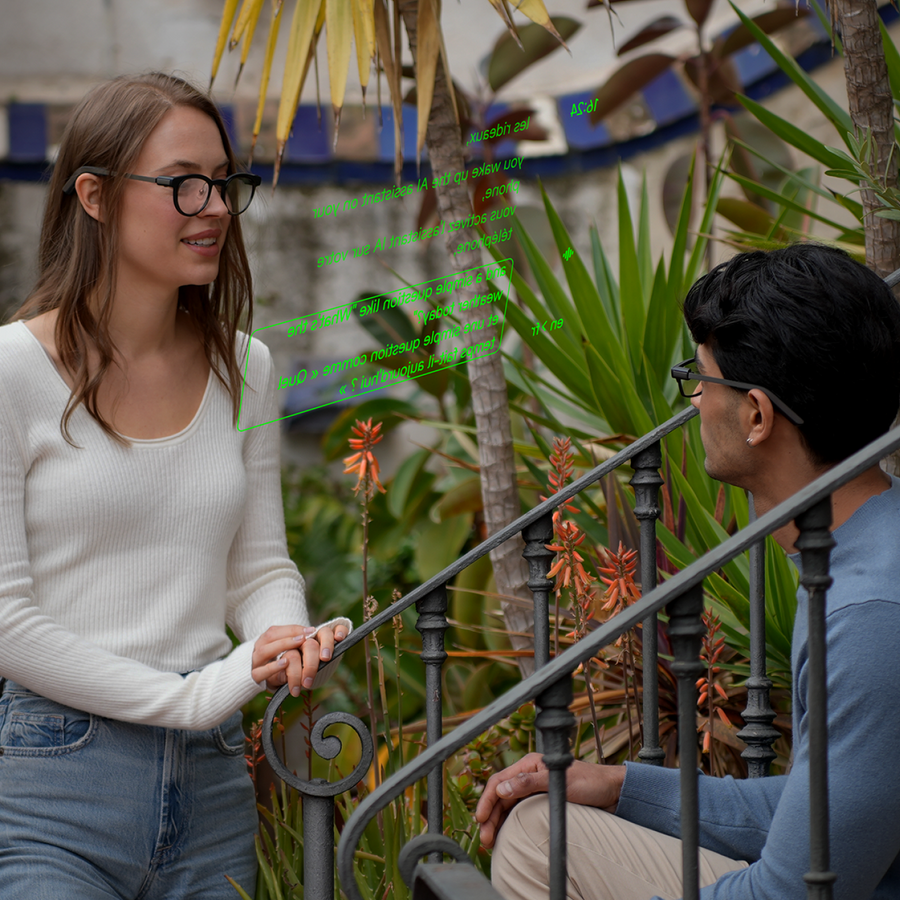
Demonstrating real-time AI translation capabilities in a group discussion.

You order in English. The waiter answers in Portuguese. The translation surfaces in your line of sight exactly when he speaks. You don't pass a phone back and forth. You look at him. He looks at you. Neither of you ever forgets the conversation.

Why it matters

The translator app you have on your phone works. It also kills the conversation it's translating — you pass the device back and forth, you read instead of listen, the rhythm dies. A quiet translator that lets you stay in the conversation is a different category.

How it works

One feature, two modes — pick whichever fits the moment.

TRANSLATION MODE is one-way, passive listen-in. Someone speaks another language; the translation appears in your line of sight, exactly as they speak — only you see it. Ideal for lectures, podcasts, listening to a guide on a tour, or hearing your in-laws discuss something across a holiday table. You follow along without anyone knowing you needed help.

BILINGUAL MODE is two-way and shared. You place your phone on the table between you and the person you're speaking with — both languages appear on the phone screen as each of you speaks, so the conversation moves freely back and forth. Ideal for meetings, ordering food, asking directions, the real conversations where both sides need to read each other.

Twenty-six languages at launch: English, Mandarin, Cantonese, Spanish, French, German, Japanese, Korean, Italian, Portuguese, Russian, Hindi, Indonesian, Swedish, Vietnamese, Thai, Malay, Filipino, Khmer, Lao, Turkish, Dutch, Polish, Ukrainian, Greek, and Bengali. More added as the underlying models improve.

Three moments

  • TravelA taxi driver in Tokyo tells you about his daughter in Japanese — Translation mode, English in your line of sight, you read along without breaking his flow.
  • Across the tableDinner with someone who doesn't speak your language. Flip to Bilingual mode — phone between you on the table, both languages on screen, no awkward handoffs.
  • FamilyYour grandmother's stories in her village dialect, captioned in your own language while she talks — Translation mode, all evening.

Getting started

Assign Translation to one of your three shortcut slots in the MemoMind app. Set your default languages and your default mode (Translation or Bilingual). Double-click the button on your temple to launch — you can switch between modes once you're in. (Or just say "Hi Memo, translate this" for one-way Translation mode.)

You came for the translation. You stayed for the conversation.

AI Recorder:
Every meeting, summarized while you walked out the door.

Meetings · lectures · walks


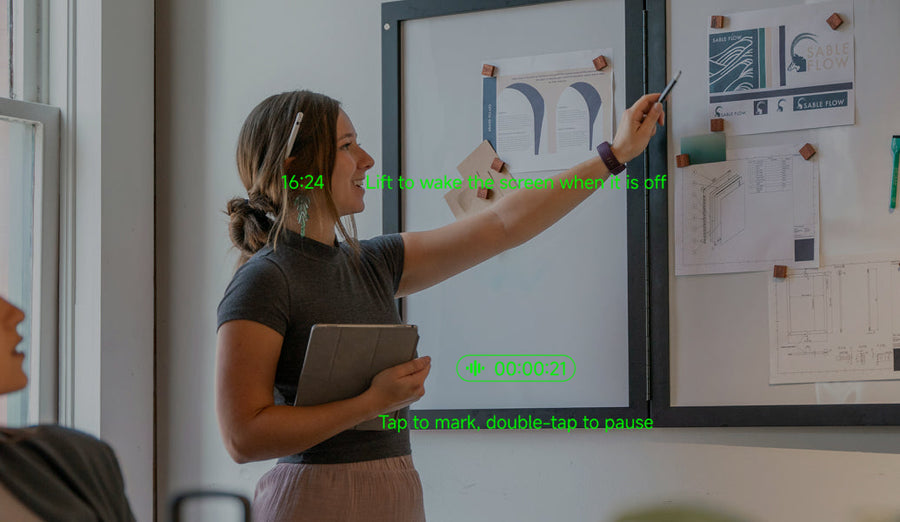
Use AI glasses in a standup meeting without manual notes.

The standup ran sixty minutes. By the time you walk back to your desk, the AI Summary is already in your inbox. The action items have your name. The decisions are timestamped. The thing you almost missed is right there, highlighted.

Why it matters

Note-taking forces you to choose: pay attention or capture details. You can't do both. Recording solves it but creates a new problem — a 60-minute audio file is just as unusable as no notes. The middle ground is automatic summarization that turns capture into something you'd actually re-read.

How it works

Double-click the button on your temple to launch Recorder. Once you're in, a single click starts the recording — the glasses (or your phone, your choice of audio source) capture the conversation. Single-click again to stop. Long-press (about 2 seconds) to exit the feature when you're done. The audio is transcribed and summarized into a structured note: who said what, what was decided, what comes next. You can search it later, edit it, share it.

Three moments

  • A standupAction items extracted, owner names tagged, blockers flagged.
  • A lectureA 90-minute class becomes 300 readable words plus a clean transcript for the deep dive.
  • A walk with your therapistYour own voice, summarized into themes you can come back to between sessions.

Getting started

Map Recorder to one of your three shortcut slots in the app. Double-click your temple to launch it. Single-click to start recording, single-click to stop. Long-press (about 2 seconds) to exit. Summary lands in the app a minute later.

You used to pick between listening and remembering. Now you do both.

AI Teleprompter:
Read aloud, naturally.

Scripts · toasts · notes · at your own pace

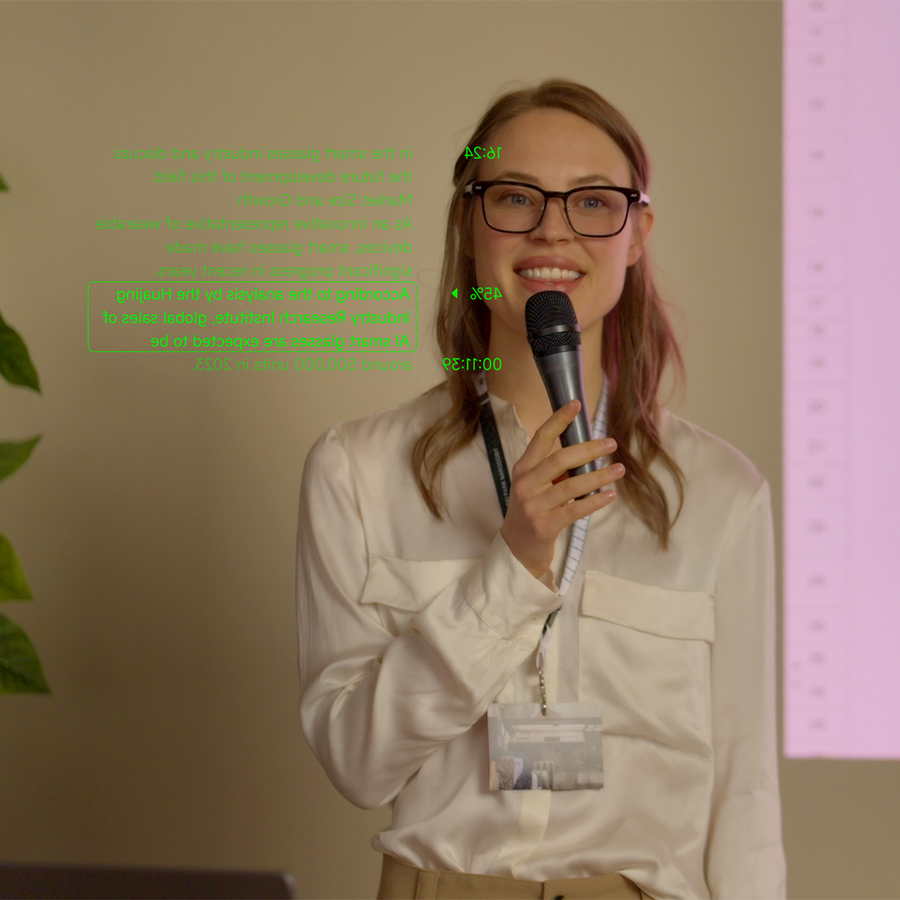
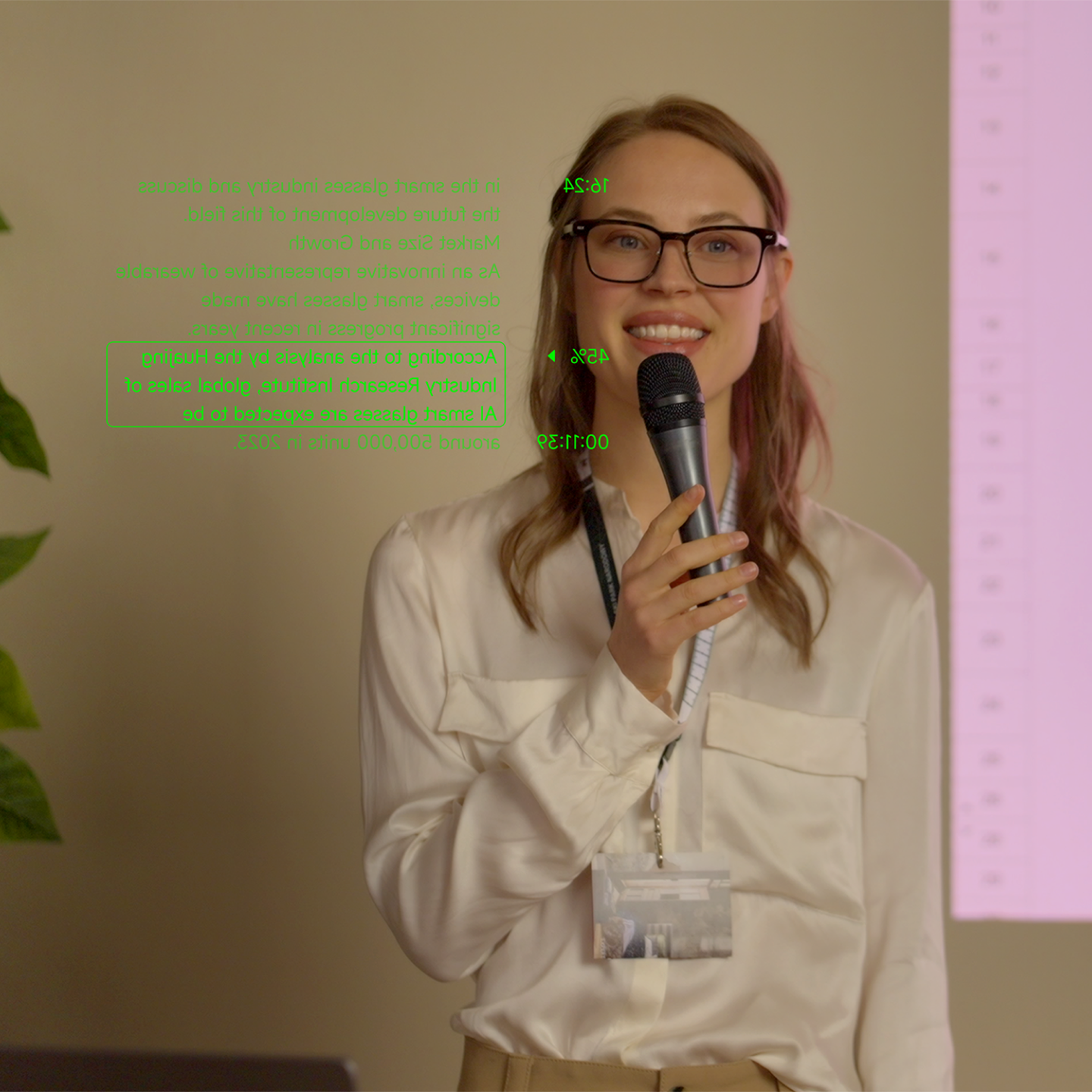
A speaker talked about delivering a speech with an AI teleprompter.

You're giving the toast. You wrote it three times. You memorized it twice and panicked once. Tonight, the words appear inside your line of sight, scrolling at exactly the speed of your voice — pausing when you take a breath, holding still when the room laughs.

Why it matters

Speaking from notes used to mean either holding a phone (looks unprofessional) or memorizing (gets you to 90% and then betrays you). Both options put a wall between you and your audience. A teleprompter that adapts to your speaking pace, invisible to everyone else, removes the wall.

How it works

Paste a script into the MemoMind app, or write one in real-time. When you speak, the AI listens to the cadence of your voice and scrolls the text to match — slower when you're emphasizing, faster when you're sailing. Pause to take a breath, the prompter waits with you.

Three moments

  • A keynoteEye contact with the room, prompts in your line of sight.
  • A wedding toastThe story you've been crafting for weeks, delivered with confidence — and no phone in your hand.
  • A video for workRecording a Loom or a YouTube intro, looking straight at the camera, reading naturally.

Getting started

Paste your script in the MemoMind app, assign Teleprompter to one of your three shortcut slots, then double-click the button on your temple to launch. Look up. Speak.

The audience sees you. You see your words. Neither of you sees a screen.
Share