AI Glasses Battery Life: How Long Do They Really Last?
Last updated: Sept 11, 2026
Disclosure: This article is based on internal engineering testing of a MemoMind One (PVT). Results reflect our testing methodology and hardware at the time of evaluation. Retail devices and individual usage patterns may produce different results.
Battery life claims for AI glasses vary widely, and many published numbers reflect a single repeated task — such as continuous music playback — rather than the way people actually wear the glasses. We wanted a figure that reflects real-world use, so we ran a mixed-use test on MemoMind One instead of looping one task until the battery died.
The result: 17 hours of runtime with AI Memory running the entire time. That covers a typical waking day from 7:00 AM to midnight — calls, navigation, translation, music, and background recording all layered in.
This article breaks down how we tested, where the power actually goes, and what it means for anyone comparing AI glasses battery life across devices.
Why is AI glasses battery life such a hard problem?
AI glasses face a constraint that phones and laptops don't: the device sits on your nose, so every gram matters. A bigger battery would help runtime, but it would also make the glasses heavier and less comfortable to wear for hours. How do AI glasses work? They pack a processor, displays, speakers, microphones, and wireless radios into a wearable frame — all drawing from one small battery.
On top of that, features don't consume power evenly. A quick AI query uses a burst of processing; background recording trickles power all day; a phone call keeps the microphone and Bluetooth radio active continuously. A single "battery life" number can't capture that mix, which is why we tested the way people actually wear the glasses rather than repeating one task.
How long does MemoMind One actually last?
Rather than looping music or video until shutdown, in this internal test, we kept the Memory feature active for the entire test — the function that continuously records moments and conversations — and layered real tasks on top of it.
We split the run into four consecutive 4-hour rounds with no charging or power-cycling in between, then summed the time spent in each mode. The glasses operated for 17 hours on a single full charge, and the "standby" periods still had Memory enabled.
This isn't a lab-only number. We've written separately in Can you wear AI glasses all day? about how comfort, display usability, and battery have to hold up together, not one at a time. In that context, 17 hours of mixed use is enough for most people's waking day without a midday charge.

Where does the battery power actually go?
A runtime total tells you how long it lasts, not why.
So we measured power draw in isolation across more than 40 test cases — baseline states, every display brightness tier on single-eye and dual-eye modes, and every major feature (translation, calls, navigation, plus combinations layered over background Memory).
Each test followed the same method: run on the device's own battery, pair with the companion app, disable wear-detection so the state stays constant, hold the test condition steady, sample power draw for 3 minutes, and repeat three times, averaging the results.
Three patterns stood out:
-
Baseline draw is negligible. Powered off, in transport mode, or in standby without a paired app, the device barely leaks power. A device that drains at rest can't credibly claim all-day life regardless of battery size.
-
Display brightness scales nearly linearly with draw. This is the one lever the wearer controls directly. Lowering brightness is the fastest way to extend runtime.
-
Background Memory adds a modest, consistent overhead. It's always on in this test, but it doesn't dominate the budget — the display and active features remain the larger consumers.
Actual runtime will vary based on brightness settings, ambient conditions, and which features are active.

How fast does MemoMind One charge?
Battery life matters, but charging speed determines whether a quick top-up can save your afternoon. We tested with three different power adapters, recording battery level at fixed intervals from 0% to 100%.
All three reached 80% in 30 minutes.
The curve flattens in the final 10% on purpose. MemoMind One charges at a faster rate through most of the capacity, then gradually reduces current above roughly 90%. Like most modern rechargeable devices, slowing the final stage reduces heat and protects long-term battery health. Reaching a full 100% takes about another 30 minutes — but for daily use, the 30-minute top-up to 80% is enough for most of a day based on our mixed-use testing.

How can you make AI glasses battery last longer?
A few habits meaningfully extend runtime without giving up features:
-
Lower the display brightness. Since draw scales linearly with brightness, dropping one or two tiers adds noticeable life — dim manually when indoors or in low-light environments.
-
Toggle off features you aren't using. Memory can be switched off manually when you don't want background recording — that also saves power. Translation and navigation only need to run when you're actively using them.
-
Top up early, don't wait for 0%. Lithium-ion batteries last longer between 20% and 80%. The 30-minute fast charge makes short top-ups practical — plug in while making coffee or brushing teeth.
-
Keep firmware updated. Software optimizations can improve power management over time.
-
Use transport mode when not wearing. If the glasses come off for an extended period, transport mode minimizes standby draw.
How does MemoMind One compare to other AI glasses?
The AI glasses category is still young, and published battery claims range widely. Some devices advertise continuous-use figures that don't reflect mixed daily wear, and many rely on a charging case for top-ups throughout the day.
MemoMind One takes a different approach on two fronts:
-
17 hours of mixed-use runtime with AI Memory continuously on — enough for a full waking day.
-
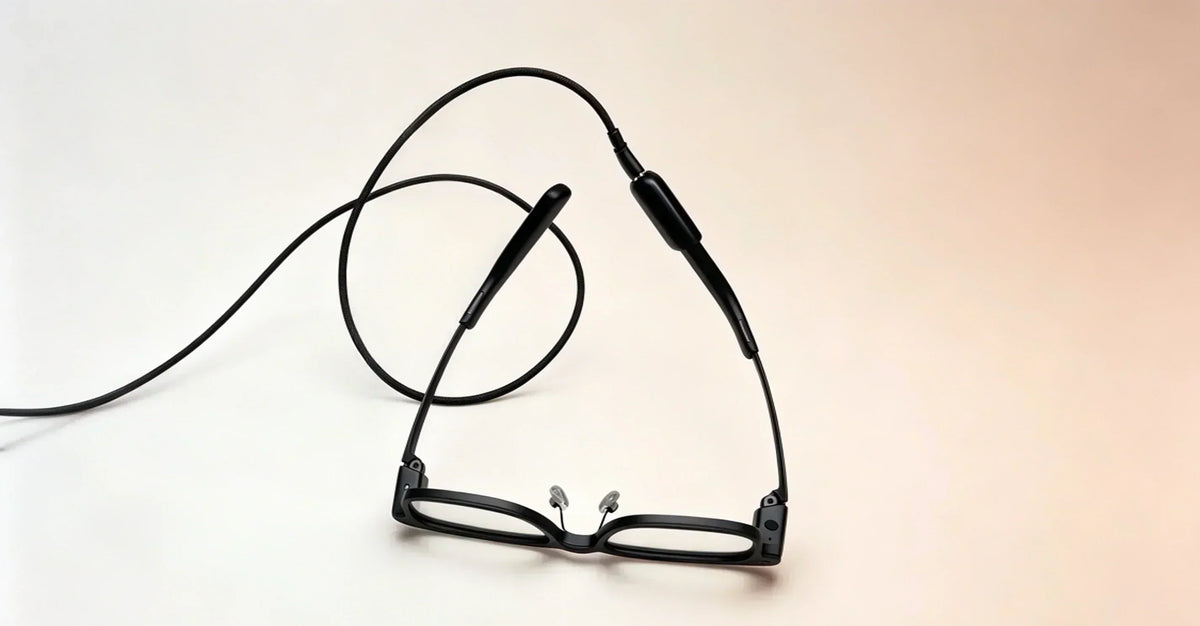
A clip-on portable charger instead of a bulky case. It clips directly to the temple, so you can top up without taking the glasses off or carrying a separate case. The included bent C-to-C cable allows flexible connection orientation.
FAQs
How do I charge MemoMind One?
Instead of using a separate charging case, the MemoMind One charges via a compact, portable charger that clips directly onto the temple of your glasses. It comes with a bent C-to-C charging cable that allows for flexible connection orientation, ensuring a secure and reliable connection.
How long does the MemoMind One battery actually last?
In our internal mixed-use test with background Memory active for the entire session, runtime measured 16+ hours across a combination of features.
How long does the battery itself last over time (cycle life)?
Per spec, the battery is rated for 500+ full 0–100% charge cycles. In practice, most users don't fully deplete the battery before recharging — low-battery shutoffs kick in before a true 0%, and most people top up before hitting empty anyway. Based on that typical usage pattern, we expect the battery to retain 80%+ of its original capacity after roughly 2–3 years of daily charging.
What is the MemoMind One battery charging time?
MemoMind One can charge to 80% capacity in 30 minutes, which is enough for most of a day's use. Charging from 90% to 100% is intentionally slower to help protect long-term battery health. Once fully charged, charging automatically stops to prevent unnecessary battery wear.
Related Blogs
More MemoMind stories from the same category.